A clear next step
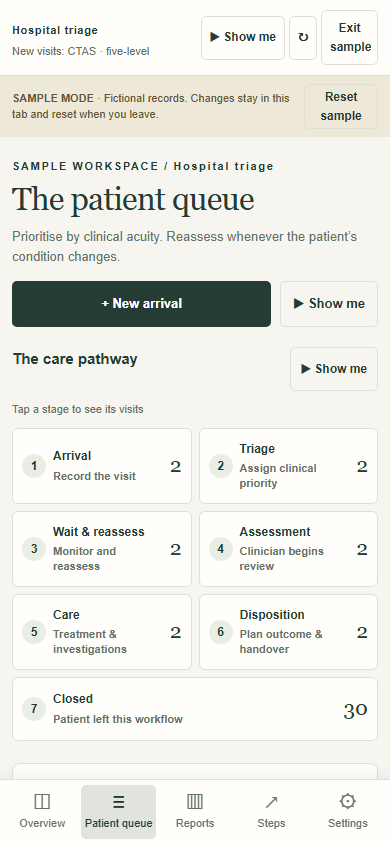
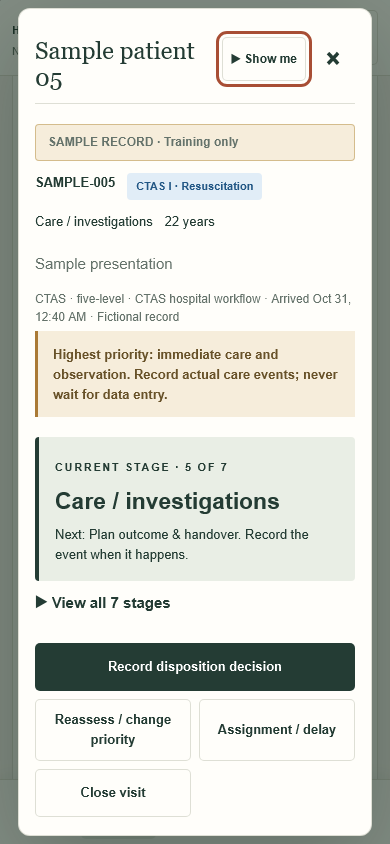
Seven numbered stages, a current-stage summary and one next care action. Trained staff record actual events and retain the visit timeline.
 SimplerBooks.It can ALWAYS be done...
Triage helps hospital teams follow each visit from arrival through clinical triage, reassessment, assessment, care, disposition and closure. Version 0.2.0 makes the seven stages explicit, adds focused operational reports and improves the phone workflow with bottom navigation and readable touch controls.
Seven numbered stages, a current-stage summary and one next care action. Trained staff record actual events and retain the visit timeline.
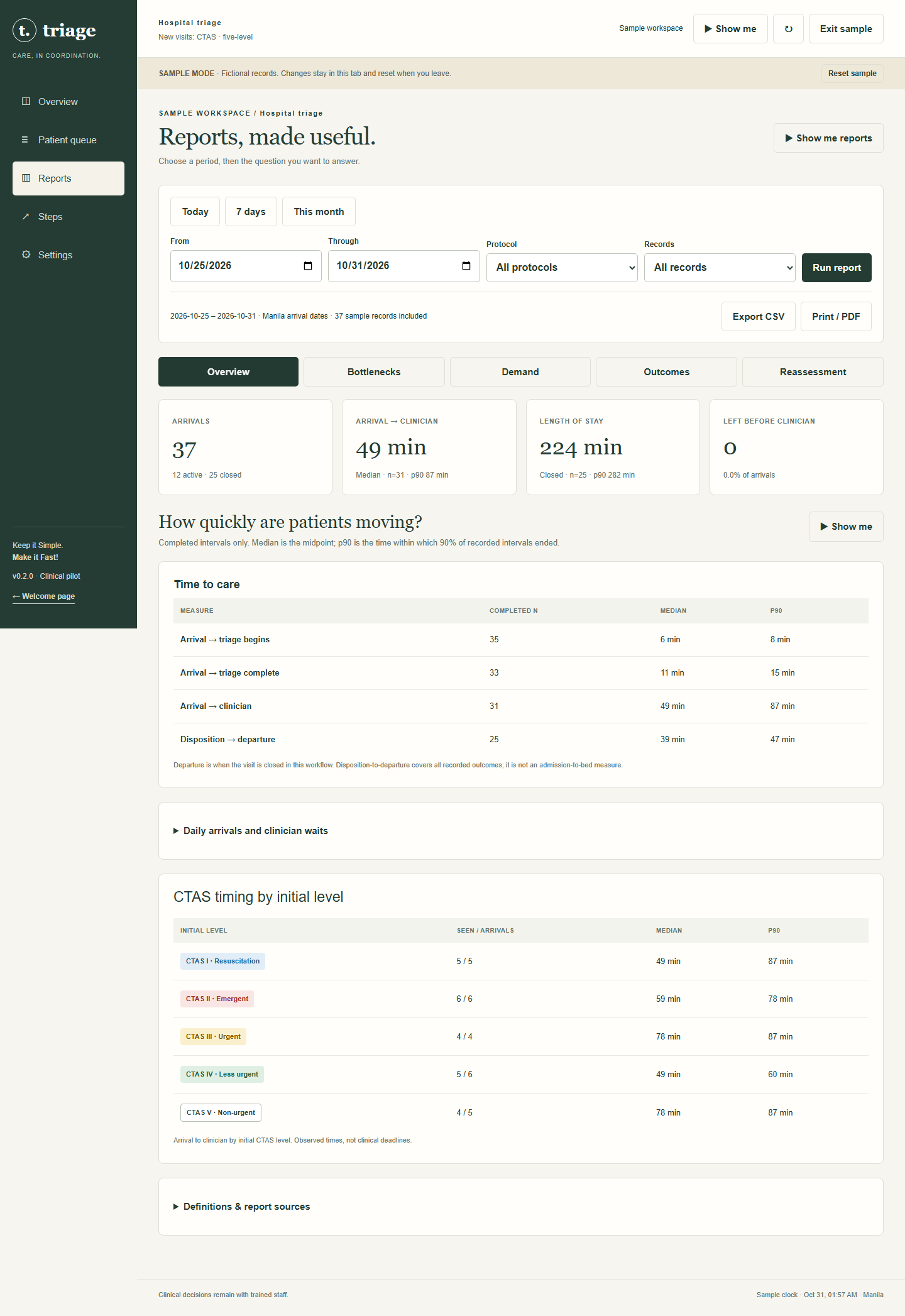
Time to care, CTAS timing and length of stay, demand patterns, outcomes, reassessment status and rule-based bottleneck recommendations. Aggregate CSV and print reports include the definitions.
23 Show me guides use 99 Ricairtec Clear recordings with captions and playback controls. Demonstrations use fictional examples and never change patient records.
Bottom navigation, touch controls, 16-pixel form text, seven visible stage choices, stacked report rows and dialogs that respond to the available viewport. Administrators can confirm deletion of explicitly marked samples; ordinary patient records are protected.
Verified on Windows in Chromium and WebKit at desktop and emulated phone sizes from 320 to 430 pixels, plus landscape. Physical iPhone touch, keyboard, speaker and hospital clinical/privacy acceptance remain pending. Clinical priorities are assigned by trained staff; this is not a certified automated CTAS scoring engine.
Use a current JavaScript-enabled phone or desktop browser over HTTPS. Staff need individual accounts. The public sample can be explored without signing in. This is a web application; no installer is required.
Original phone pathway ↗ · Original desktop reports ↗ · Original WebKit visit screen ↗ · Capture notes ↗
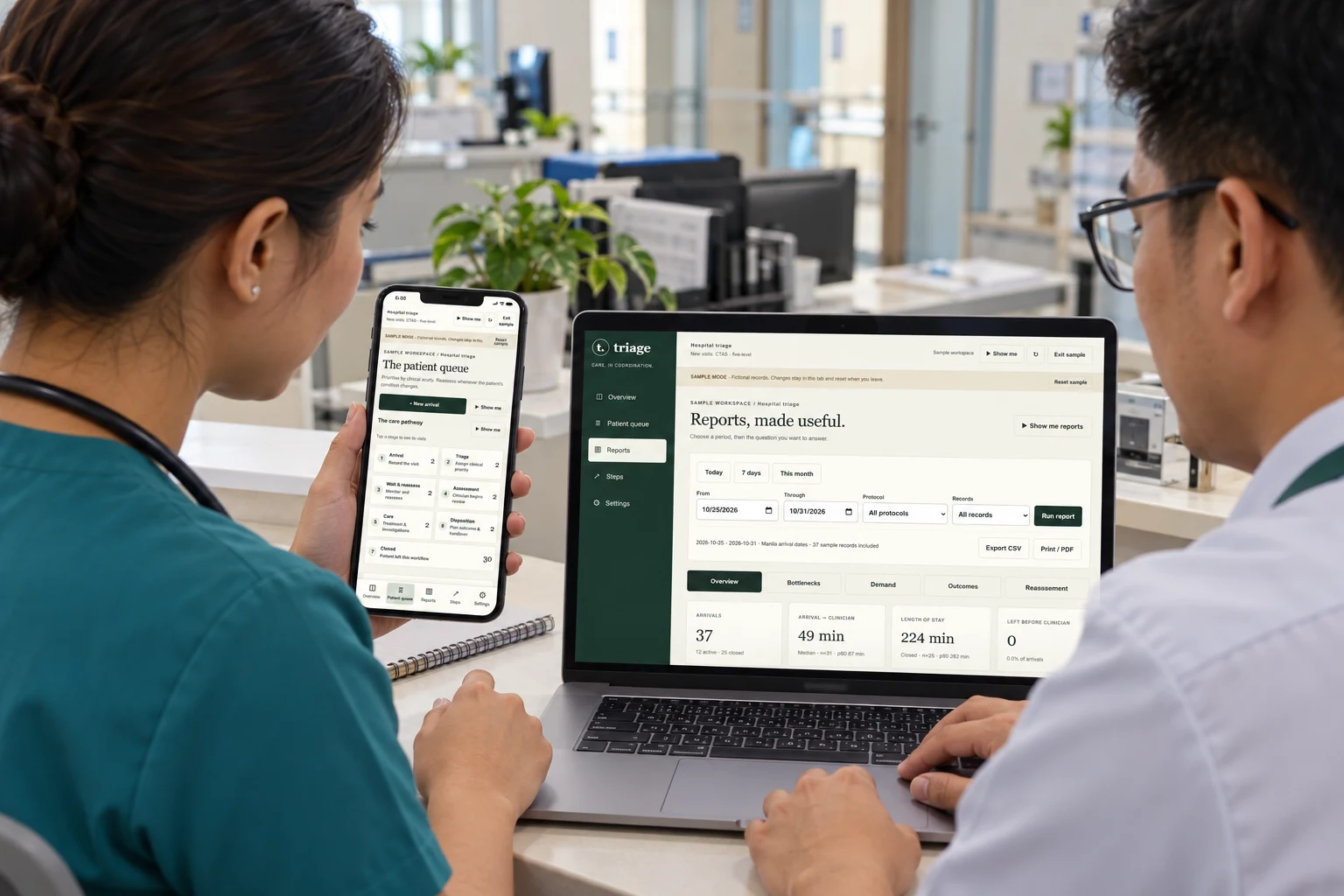
Sample records only. Local 0.2.0 release captures on Windows; phone sizes are emulated. Generated illustration details may vary from the originals.